01 /
Open the whole case.
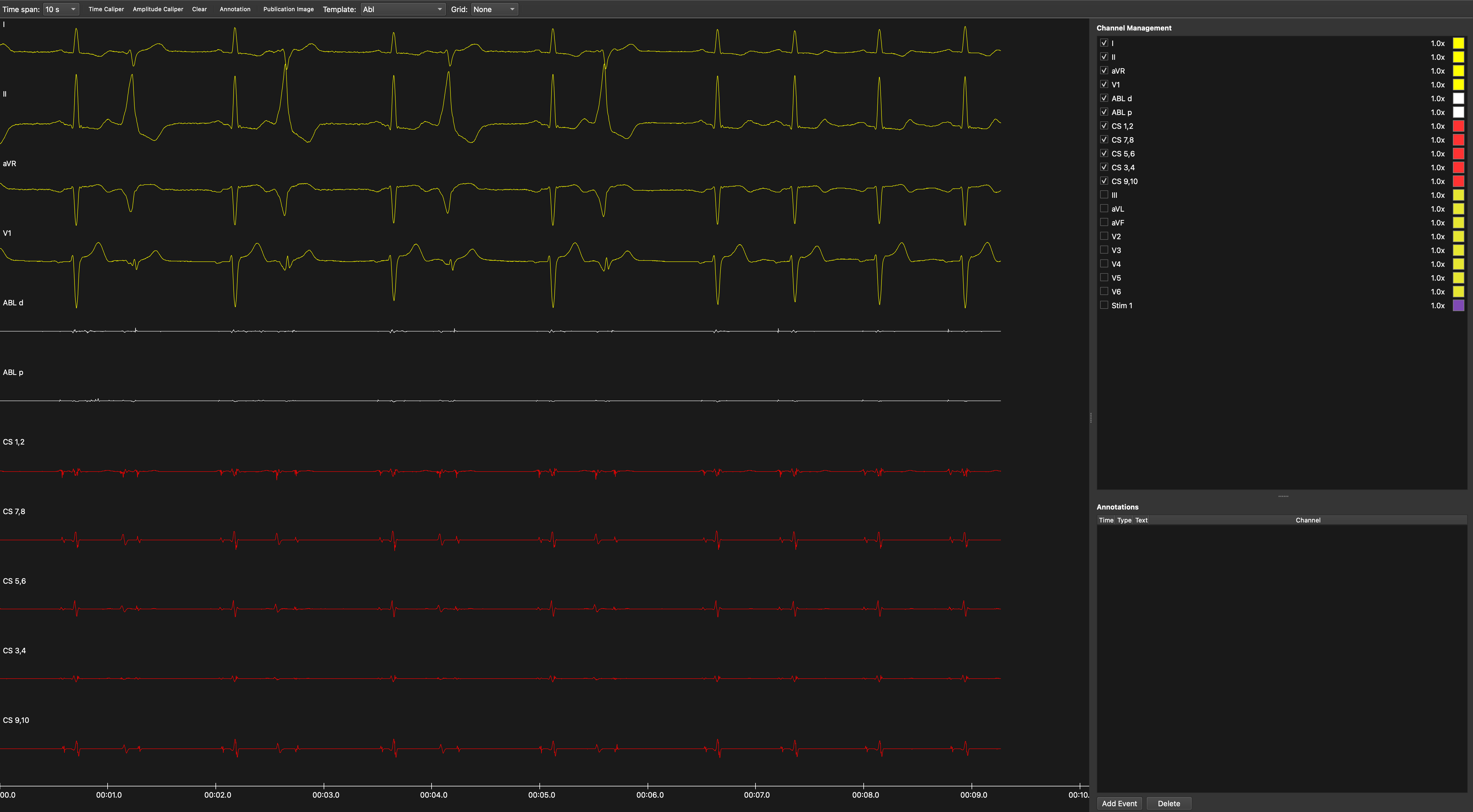
Bring supported recordings into one place. Bard and Claris case folders open on a connected timeline, with recording gaps preserved.
Your recordings, togetherEP recording review, in focus
Your recordings. One focused workspace to review channels, measure intervals, annotate findings, and prepare figures worth sharing.
v1.0.2 · Apple Silicon · macOS 26
From recording to insight
A practical set of tools for electrophysiology recording review, built around the work you do every day.
Bring supported recordings into one place. Bard and Claris case folders open on a connected timeline, with recording gaps preserved.
Your recordings, togetherArrange channels, adjust gains and time spans, and place time calipers. Add annotations that take you straight back to the moment you marked.
Channels, calipers + annotationsTurn a selected signal view into a publication figure. Add labels and arrows, adjust the margins, and export your figure for reports or presentations.
Publication image editorReview locally. Pick up where you left off. Save your workspace as an EAnalyzer session and reopen it with the original recording files.
How it worksRecording compatibility
Work with supported EP recording formats through the same review tools.
Ask about your recordingCardioLab recordings in supported text and binary formats.
Supported EP Tracer recording exports.
Recording segments opened together as one case.
Case recordings on a chronological timeline.
Compatibility depends on the recording format and software version. Bard and Claris amplitudes retain native values in this release.
Ready when you are
Download EAnalyzer for Mac and get a closer look at your recordings.

Apple Silicon · macOS 26
Developer ID signed & Apple notarized
1Quit EAnalyzer, open the DMG, and drag it to Applications. Choose Replace when updating.
2Open the app, create an account, and verify your email.
Eligible new accounts start with a 7-day trial.
Version 1.0.2 is for Apple Silicon Macs running macOS 26. This download does not support Intel Macs. Windows and Linux installers are not available on this page.
Recordings are reviewed locally on your Mac. An internet connection is required for email verification, sign-in, and subscription checks during use.
Create an account in the app and verify your email. Eligible new accounts receive a 7-day trial. For subscription options, contact bilgilendirme@egearitmi.com.tr.
Support covers the recording formats implemented and tested for this release; formats can vary by system and software version. Contact us if you are unsure about your files. Bard and Claris use native amplitude values in this release, rather than physically calibrated mV or mmHg.
Keep both your .epstudy session file and the original recordings. Saved sessions reference the source files, so the original case folder is needed to reopen your work.
Built by Ege Aritmi
Developed in İzmir, Türkiye, with a focus on the practical work of electrophysiology recording review.
Meet Ege Aritmi